
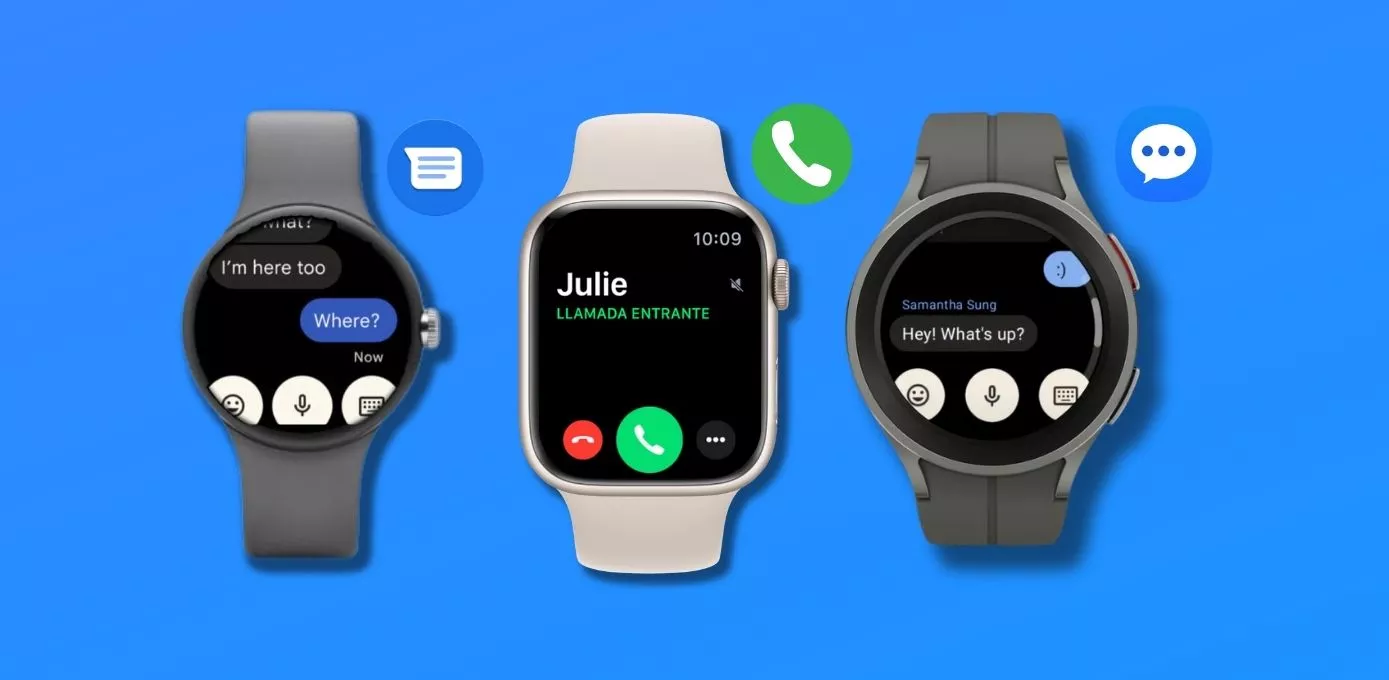
Can a smartwatch make calls or send texts? Yes, for sure.
In fact, the whole point of writing this guide is to introduce you to smartwatches on the market that can call and text (without a phone).
But before we dive in, let’s take a step back and understand the basics.
To offer these connectivity features, a smartwatch must have the necessary hardware specs, which include a speaker and a microphone.
If these conditions are met, any watch has the hardware support to make on-wrist calls.
Next, you’ll want to make sure that your smartwatch supports both Bluetooth calling and cellular calling. What’s the difference?
Bluetooth Calling on a Smartwatch: It relies on a connection with your smartphone. Your smartwatch in this case basically piggybacks on the cellular connectivity of your smartphone. This feature is convenient as it allows you access to calling as well as the contact list and call history without reaching out for your phone.
Cellular Calling on a Smartwatch: Cellular calling, on the other hand, allows your smartwatch to make and receive calls independently of your smartphone. Your smartwatch must have built-in LTE connectivity (a SIM card or eSIM). You must have a separate cellular plan for these watches to enable this feature.
The same goes for texting on a smartwatch. However, the overall experience of texting is largely defined by the operating system of the watch (WearOS & WatchOS). Features such as a QWERTY keyboard, emoji support, and voice-to-text functionality depend on the operating system.
Now that you understand the basics, let’s jump straight into the guide.
Smartwatches for Standalone Texting and Calling: Top 5 Picks
Here is a short summary of all the watches featured in this roundup:
| Name | Compatibility | Rating | Price |
|---|---|---|---|
| Apple Watch Series 11 Cellular | IOS | ★★★★★ | |
| Apple Watch SE 3 Cellular | IOS | ★★★✰✰ | |
| Samsung Galaxy Watch 9 LTE | Android | ★★★★★ | |
| Samsung Galaxy Watch Ultra 2 | Android | ★★★★✰ | |
| Google Pixel Watch 5 LTE | Android | ★★★★✰ |
Apple Watch Series 11 Cellular:
Key Specs: Display: Always-On Retina LTPO3 OLED, 416 x 496 (46mm) | Dimensions: 46 x 39 x 9.7mm | Weight: 36.9g (46mm aluminium) | Water resistance: 5ATM + IP6X | eSIM embedded: Yes, 5G | Battery life: up to 24 hours
For iPhone folks, there is still no better standalone smartwatch than the Apple Watch Series 11 cellular. It offers the best connectivity experience on the market, and this year it earned that position rather than inheriting it.
The foremost advantage remains its seamless integration with iOS. You get notifications, calls, and texts directly from your wrist, you control exactly what comes through, and it all just works in a way no Android watch quite matches on an iPhone.
The embedded eSIM allows the watch to function independently, so you can make or receive calls even when your iPhone isn’t nearby. This is especially useful during outdoor activities or whenever you want to leave your phone behind.
Two things changed this year and both matter for this article specifically.
The first is 5G. Series 11 cellular models carry a 5G modem and a redesigned antenna. In practice this means better coverage in weak-signal areas and less battery burned holding a connection. If you have ever watched an cellular watch chew through its battery hunting for signal, this is the fix.
The second is battery life. Apple rates the Series 11 at 24 hours, up from 18. That is the first meaningful battery improvement in the flagship line in years, and it is the difference between charging your watch before bed and wearing it overnight for sleep tracking. Low Power Mode stretches it to 38 hours.
Note: The Series 11 also comes in a GPS-only model at a lower price. That model has no eSIM and cannot offer any of the cellular features discussed here. Every watch in this roundup has a cheaper non-cellular version — make sure you’re buying the right one.
Texting on the Series 11 is the best experience available on any smartwatch. The QWERTY keyboard that arrived on the Series 9 has matured, the display is large and bright with thin bezels, and WatchOS handles message composition properly. Here is what you can send in a text message:
- Voice notes
- Emojis
- Photos
- Videos
The Series 11 also supports music streaming and includes Siri. With Apple Pay you can make contactless payments, and that works without any cellular connection at all.
There are countless third-party apps available. While some popular apps like WhatsApp, Instagram, and Facebook still aren’t directly available, there are workarounds through bridge apps.
The remaining downside is the price. Apple has also added hypertension notifications and a daily sleep score this year, which are genuinely useful, but you’re paying flagship money for them.
One downside of the Series 11 is its battery life, the other is its premium price tag. It lasts for about 24 hours under normal use, but the battery drains quickly during calls, lasting only for about 100 minutes.
Apple Watch Series 11 5G excels as a mini iPhone, offering excellent connectivity features. Its smooth iOS integration allows easy management of calls, text messages, and notifications. Plus, its built-in 5G connectivity lets you stay connected, even when your phone isn’t nearby. Moreover, it supports music streaming, Apple Pay, and numerous third-party apps. However, the price tag is quite high, the battery life could be better, and it only is locked behind Apple’s walled garden.
Pros:
- Seamless iPhone integration
- 5G for better coverage and efficiency
- Plenty of third-party apps
- QWERTY keyboard for easier texting
- Contactless payments via Apple Pay
- Independent functioning without the iPhone
Cons:
- Compatible only with iPhone
- Average battery performance
- Extra expense for a cellular plan
- Flagship price, and the SE 3 covers the same calling and texting
Apple Watch SE 3 Cellular:
Key Specs: Display: Always-On Retina OLED, 368 x 448 (44mm) | Dimensions: 44 x 38 x 10.7mm | Weight: 33g | Water resistance: 5ATM | eSIM embedded: Yes, 5G | Battery life: up to 18 hours
As it goes with Apple Watches, there is always an underpowered, budget-friendly option that offers all the core features.
Apple Watch SE 3 cellular is a greater alternative for budget-conscious users, children, and senior citizens.
Interestingly, it offers all the connectivity features of its premium siblings, so you aren’t missing out on anything in this department. That now includes 5G, which is the part that surprised me — Apple could easily have left the cheap watch on LTE and didn’t.
Here is a brief run-down of its capabilities.
It supports Bluetooth and cellular calls from the wrist, given that the eSIM is activated and a plan is in place.
Messaging is robust, including iMessage support along with Autocorrection, Dictation, QuickPath, and Scribble. You can send photos, emojis, videos, and voice notes directly from the watch.
Contactless payments via Apple Pay are included, as is music streaming through Apple Music or third-party apps like Spotify.
The SE 3 also finally gets an always-on display and fast charging, both of which the previous SE lacked. Fast charging takes it from empty to 80% in about 45 minutes.
The features you’ll miss compared to the Series 11:
- ECG monitoring
- Blood oxygen tracking
- Hypertension notifications
- The larger, edge-to-edge display
That last one is the complaint you’ll see most in reviews — the SE keeps a noticeably thicker bezel.
Battery life is where the SE shows its price. It is still rated at 18 hours, so unlike the Series 11 you are charging it daily.
For families, one thing worth knowing: because the SE 3 supports cellular, it works with Family Setup. That lets a parent manage an Apple Watch for a child or an older relative who doesn’t have their own iPhone. For a lot of buyers, this is the whole reason to pick this watch.
Apple Watch SE 3 Cellular is a budget-friendly alternative to the iWatch Series 11. Despite its lower price, it provides all the essential connectivity features. However, it does miss out on some fancy features like advanced health tracking. Also, the screen is surrounded by a pretty noticeable bezel.
Samsung Galaxy Watch 9 LTE:
Key Specs: Display: 1.47-inch Super AMOLED, 480 x 480, 3000 nits (44mm) | Dimensions: 44mm, 8.6mm thick | Weight: 34g | Water resistance: 5ATM, MIL-STD-810H | eSIM embedded: Yes, LTE | Battery: 445mAh (44mm)
When it comes to LTE smartwatches for Android users, the Samsung Galaxy Watch 9 stands in a league of its own. This watch can change many hats: it can be your personal assistant, fitness coach, and outdoor companion.
The headline change this year is under the case. Samsung dropped its own Exynos chip for Qualcomm’s Snapdragon Wear Elite, built on a 3nm process. That means faster performance and, more importantly for this article, better efficiency — which is exactly what you need when the watch is running its own cellular connection.
Note: Samsung did not release a Galaxy Watch 9 Classic this year. The lineup is the standard 40mm and 44mm, plus the Ultra 2 covered below. If you were waiting for a rotating bezel, it isn’t coming this generation.
The user interface runs One UI 9 Watch on Wear OS 7, which means buttery smooth performance and access to thousands of third-party apps. Samsung has also committed to five years of OS upgrades, up from four on the Watch 8 — that’s a genuinely meaningful promise on a device you might keep for a while.
Speaking of calling, Samsung has truly nailed this feature. The watch’s built-in LTE lets you make calls straight from your wrist. Last I heard, they can take calls even on Whatsapp.
The calling feature is complemented by strong texting. The QWERTY keyboard makes replying quick, you can send emojis and voice notes, and the 3000-nit display means you can actually read what you’re typing outdoors.
You can stream music from Spotify and YouTube Music, and for contactless payments you have both Google Pay and Samsung Pay.
The 44mm carries a 445mAh battery that will comfortably last through the day even with LTE usage. The 40mm has 390mAh. Neither is a multi-day watch when you’re leaning on cellular. WearOS is to blame here.
Galaxy Watch 9 LTE is compatible only with Android and works best with Samsung Phones. Even when it is not paired with a phone, you can make and receive calls, send texts, and respond to notifications. The latest updates added a QWERTY keyboard and WhatsApp Calls.
Pros:
- Exceptional LTE connectivity.
- Snapdragon Wear Elite is faster and more efficient than the old Exynos.
- QWERTY keyboard for easy texting.
- Very bright 3000-nit display
Cons:
- Certain features like Google Maps navigation and ECG are still exclusive to Samsung smartphones.
- Battery drains quickly on LTE
Samsung Galaxy Watch Ultra 2:
Key Specs: Display: 1.52-inch AMOLED, 5000 nits | Case: 47mm titanium | Water resistance: 10ATM, IP69K, EN13319 dive rated | eSIM embedded: Yes, LTE | Battery: 800mAh
Galaxy Watch Ultra 2 is a far more serious watch than Galaxy Watch 9.
Two numbers tell the story. The battery is 800mAh nearly a 35% jump over the first Ultra. And the display hits 5000 nits, which is brighter than anything else on this list by a wide margin. Samsung managed both while making the case 12% thinner.
For our purposes, that big battery is the point. Every other watch in this roundup drains fast when you lean on cellular. The Ultra 2 is the only one where I’d genuinely trust leaving the phone at home for a long day out. Independent reviewers have reported three days on a charge, though results have varied enough that I’d treat that as a best case rather than a promise.
Note: The Ultra 2 is LTE-only. There is no Bluetooth-only version and no 5G option. If you buy this watch you are buying the cellular model.
Durability is the other half of the pitch. Titanium case, sapphire crystal, IP69K, 10ATM, MIL-STD-810H, and EN13319 dive certification with automatic depth and water temperature tracking. It’s the only watch here you could reasonably take diving.
Connectivity is LTE, Bluetooth 6.0, Wi-Fi on both bands, NFC, and dual-frequency L1+L5 GPS. No satellite messaging, despite some pre-launch rumours suggesting otherwise.
Calling and texting work exactly as they do on the Galaxy Watch 9 as they both share the same OS, same keyboard, same apps. You’re paying extra for the battery, the screen, the case, and the dive rating.
I added this watch as the premium alternative to the Galaxy Watch 9. Galaxy Watch Ultra 2 runs the same operating system, so every standalone feature of its cheaper sibling is here too: LTE calling, the QWERTY keyboard, WhatsApp calls, all of it. What the extra money actually buys you is the extra long battery, a super bright 5000-nit screen, a titanium case and a dive rating. Just remember, it only comes in one 47mm size, there’s no 5G option this generation.
Google Pixel Watch 5 LTE:
Key Specs: Display: Actua 360 domed AMOLED LTPO, 320ppi, 3000 nits | Dimensions: 45 x 45 x 12.3mm | Weight: 36.7g (45mm) | Water resistance: 5ATM + IP68 | eSIM embedded: Yes, LTE | Battery life: up to 40 hours (45mm)
Samsung Galaxy Watch 9 is compatible with Android phones, but there are still pickles. It works best when it is paired with Samsung phones. Samsung still holds select features from other Android users.
So what are our options? Google’s own Pixel Watch, which is fully unlocked for any Android phone.
Let me be honest about what the Pixel Watch 5 is, though: it is a Pixel Watch 4 with a faster chip. Same case, same weight, same thickness, same display, same battery estimates. Google bumped the RAM to 3GB, doubled storage to 64GB, and made it about 20% quicker. That’s the update.
If you find a Pixel Watch 4 LTE discounted, you are giving up very little.
The Pixel Watch 5 offers LTE compatibility, allowing you to make or receive calls directly from your wrist (without a paired phone).
Texting on the Pixel Watch is just as impressive. The domed edge-to-edge display makes texting genuinely pleasant. Whether you are quickly replying to messages, sending emojis, or even voice notes, the Pixel Watch makes it a breeze.
The Pixel Watch doesn’t stop at basic cellular connectivity features. You can download offline playlists from YouTube Music, or Spotify. Plus you get access to Google Maps, Google Assistant, Google Pay, and more.
The one genuinely new thing is worth mentioning: cloud-based GPS post-processing. Google reprocesses your route after a workout using 3D building models and atmospheric corrections, and claims twice the route accuracy in difficult environments like city centres and canyons.
The Pixel Watch line also has satellite SOS, which no Samsung watch offers.
Battery remains the weak point, as it has been since the first Pixel Watch. Google rates the 45mm at 40 hours with always-on display, the 41mm at 30. Turn on LTE and lean on it, and you will not see those numbers.
However, the Pixel Watch struggles with battery life, particularly when LTE is enabled. You won’t be able to get 40 hours of performance from this watch unless you turn off most of its connectivity features.
Google Pixel Watch 5 4G/LTE is fully unlocked for Android phones. With 3GB of RAM and 64GB of storage, it has got superior hardware compared to any other Android watch in the market. The user interface is fast and intuitive, and it is the best platform to experience Google apps like Messages, Assistant, and Maps.
Pros:
- Works fully with any Android phone, not just Google’s
- Best-in-class Google app integration
- Beautiful domed display for easy texting
- Seamless calling feature.
Cons:
- Disappointing battery life with LTE enabled.
- Barely an upgrade over the Pixel Watch 4
Honorable Mentions:
These watches didn’t make the cut, let’s find out why?
- Apple Watch Ultra 3: Has 5G and satellite messaging, and the biggest battery Apple puts in a watch. It didn’t make the list because if connectivity is what you’re after, the Series 11 does the same job for considerably less.
- Garmin Fenix 8 Pro: This is the interesting one, because Garmin finally built a watch with LTE. It also has two-way satellite messaging through inReach. So why isn’t it here? Because it doesn’t give you a phone number. Calls and voice messages only work between Garmin Messenger users. It’s an excellent off-grid safety device and a poor phone replacement.
- Garmin Venu 4: Speaker and microphone are both there, so you can take calls from the wrist. But it’s Bluetooth only so your phone needs to be in the loop. Garmin’s texting experience also remains well behind Wear OS and watchOS.
- Galaxy Watch 8 and Pixel Watch 4: Both last year’s models, both still excellent, both now discounted. If you don’t need the newest chip, either is a smart buy. The Pixel Watch 4 in particular is nearly identical to the Watch 5.
- Fitbit: Still no LTE anywhere in the line, and Google has folded the Fitbit app into Google Health. Bluetooth calls only.
Best Smartwatch with standalone features: How I Picked?
I have been covering wearable tech for some years now, so before even writing a single word, I knew where to look for the best connectivity experience.
Here is the simplified process for you.
- Compatibility: I had to bear in mind that the Apple Watch is only compatible with iPhones. Samsung Watches can pair with Android phones, yet some of their features are exclusively for Samsung phones. On the other hand, Google Pixel Watch is built for Android devices.
- Calling Capabilities: I made a list of all the watches, over 15 in total, that came with speakers and microphones. These are the fundamental prerequisites for making calls.
- Texting Experience: The choice of the operating system, which governs the user interface, greatly impacts the quality of the texting experience. I found that WearOS and WatchOS were standouts in this aspect. I set a QWERTY keyboard as my basic requirement and also considered the types of files that could be sent, like emojis, voice notes, and photos. This brought down my list to 10 watches.
- Cellular Capability: Finally, I examined whether these watches had the cellular capability or integrated eSIM, which further shortened my list to a mere 5 options.
As you will find out, most watches in the final selection offer nearly identical experiences in terms of cellular connectivity. So, your ultimate choice will likely depend on:
- Your budget
- Your existing device ecosystem (Samsung, iPhone, or other Android Phones)
- Your expected battery performance
FAQs: Smartwatch with call & text function

I created this blog to help people find the right smartwatch for their taste, to keep tabs on the latest news and leaks, and to share my experience with different smartwatches.