
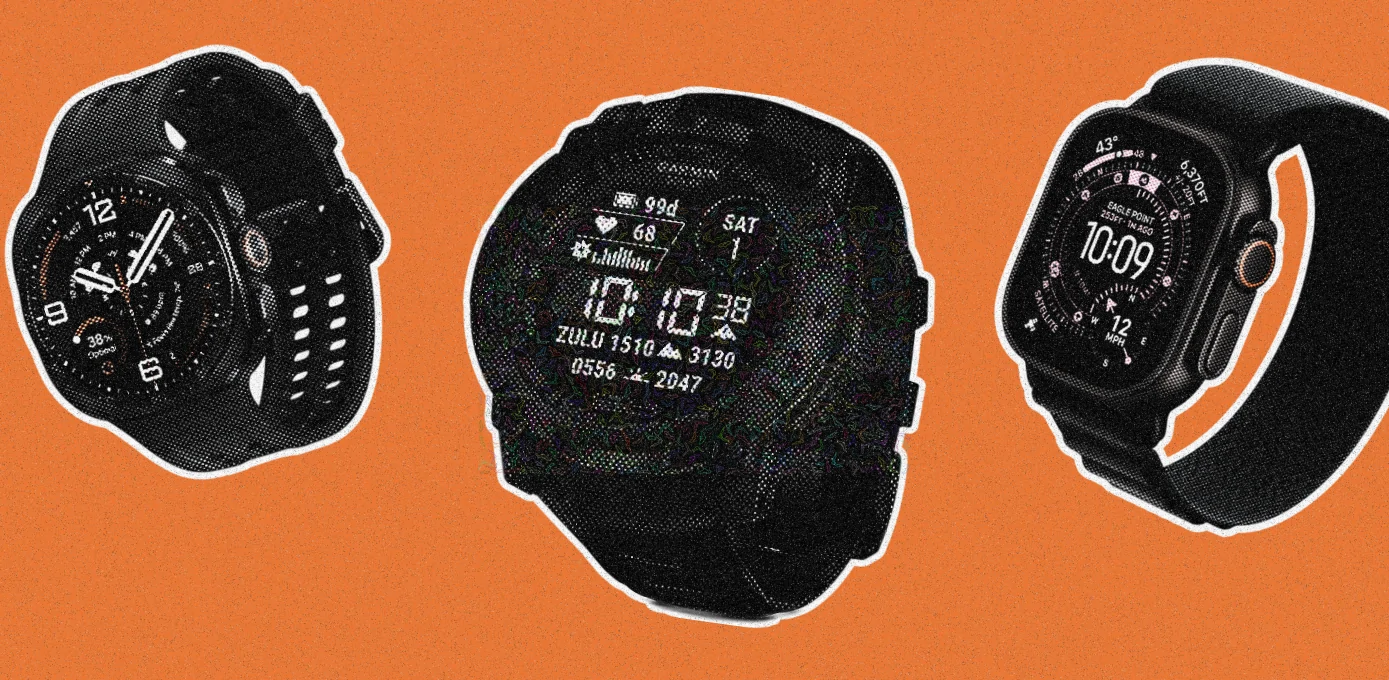
Can a smartwatch survive a construction site? Some can. Most can’t.
That is the whole reason this guide exists. There are hundreds of “rugged” smartwatches on the market and the overwhelming majority of them are ordinary watches with a chunky bezel glued on. A construction site will find that out within a week.
But before we get to the picks, let’s take a step back and talk about what actually kills a watch on a job site. Because it isn’t what most buying guides tell you.
It is almost never water. Every watch in this guide is rated to at least 10 ATM. Rain, concrete slurry, a hose-down at the end of shift, none of that is the problem. The problems are dust, point impact, and the fact that you are wearing gloves.
Buying Guide
- Physical buttons beat touchscreens. A capacitive touchscreen does not work through a leather rigger glove. It barely works through a thin nitrile glove once your hands are wet. If a watch can only be operated by tapping the screen, you will be taking a glove off twenty times a day. Watches with real, pressable buttons are what you need on a construction site.
- Impact resistance and scratch resistance are two different things. Sapphire crystal is fantastic at resisting scratches from rebar, brick, and grit. It is also brittle. Take a sharp point impact on a sapphire face from a dropped hammer and it can shatter where a polymer-and-mineral-glass watch would just scuff. Meanwhile a titanium case looks premium but it dings like anything else. A fiber-reinforced polymer case is genuinely better for construction than titanium.
- Dust ratings are not all equal. IP6X means dust-tight. IP69K means dust-tight and rated for high-pressure, high-temperature washdown. If you finish shifts by hosing yourself off, that second rating is the one you want.
- Battery life is a safety feature. A watch rated for 18 hours is a watch you will forget to charge before a 12-hour shift, and then it is dead in your truck when you actually need fall detection.
- Haptics have to be strong enough to feel through a glove. A weak vibration motor means you miss every call from the foreman.
Best Smartwatches for Construction Workers: Top 5 Picks
Here is a short summary of every watch in this roundup:
| Name | Best For | Rating | Price |
|---|---|---|---|
| Garmin Instinct 3 Tactical Solar | Best overall | ★★★★★ | Check Price |
| Apple Watch Ultra 3 | iPhone users | ★★★★✰ | Check Price |
| Samsung Galaxy Watch Ultra 2 | Android users | ★★★★✰ | Check Price |
| Amazfit T-Rex 3 Pro 48mm | Best value | ★★★★✰ | Check Price |
| Casio G-Shock Move GBD-H2000 | Toughest build | ★★★✰✰ | Check Price |
Garmin Instinct 3 Tactical Solar 50mm:
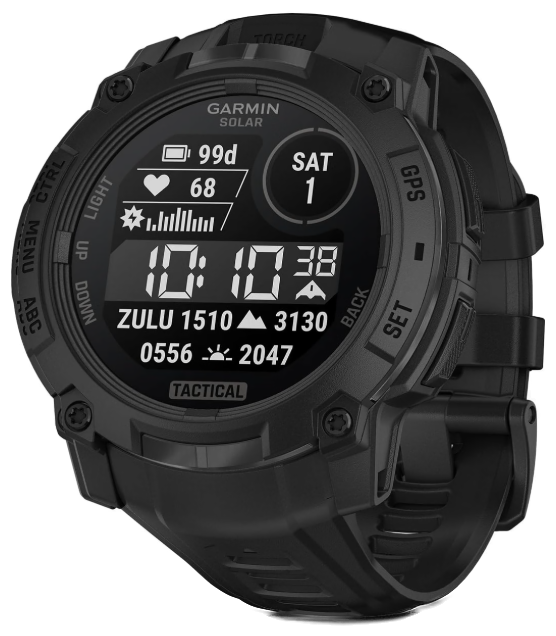
The best smartwatch for construction work
Garmin Instinct 3 TacticalGarmin Instinct 3 Tactical Solar is the pick for anyone who wants a watch that disappears into the job. Button-only operation means it works in gloves, the polymer case shrugs off impacts that dent titanium, the flashlight earns its keep every week, and solar charging means you stop thinking about the battery entirely.
Check price on AmazonKey Specs: Display: 1.1-inch monochrome MIP, non-touch | Case: 50mm fiber-reinforced polymer, metal-reinforced bezel | Weight: 58g | Durability: MIL-STD-810, 10 ATM | Flashlight: Yes, white/green LED with strobe | Battery: 40 days smartwatch, unlimited with solar
If you want one answer and no debate, this is it. The Garmin Instinct 3 Tactical Solar is the best smartwatch for construction workers, and it wins on the things that actually matter on a site rather than the things that look good on a spec sheet.
Start with the case. It is fiber-reinforced polymer with a metal-reinforced bezel, engineered to MIL-STD-810 for thermal and shock resistance and rated to 10 ATM. Polymer is the point here. It flexes and absorbs an impact instead of transmitting it to the glass, and when it does get scuffed it looks like a tool rather than like an expensive thing you ruined.
There is no touchscreen. That is a feature. Five physical buttons run the entire watch, which means you can operate it with rigger gloves on, with wet hands, with concrete dust all over the face. Every other watch in this roundup asks you to take a glove off at some point. This one doesn’t.
Then there’s the solar. Garmin rates the 50mm at 40 days in smartwatch mode, and unlimited in smartwatch mode with about three hours of daily sun exposure. If you work outside, you will functionally never charge this watch. That is not a marketing line, that is just what happens when a solar panel meets a monochrome display and an outdoor job.
Note: There are three Instinct 3 families and they are easy to confuse. Solar has the memory-in-pixel display and the solar panel. AMOLED has a bright colour screen and 24 days of battery but no solar. Tactical adds stealth mode, a kill switch, night-vision compatibility, and a green flashlight option. For construction, the Solar models are the right call, and the Tactical version’s green LED is genuinely nicer in dark crawlspaces than white.
The built-in LED flashlight deserves its own paragraph. It has variable intensity and a strobe mode, and it is accessible from any screen with a long button press. Anyone who has crawled into an attic, checked a panel in an unlit basement, or looked under a slab knows exactly how often that gets used. It is the feature people mention most after a month of ownership.
Where it falls short is smart features. There is no speaker and no microphone, so no calls from the wrist. There are no onboard topographic maps. The monochrome display is legible in blazing sun but it is not pretty, and the Elevate Gen 4 heart rate sensor is a generation behind Garmin’s current flagships.
Reasons to buy
- Button-only operation, works perfectly with work gloves
- Polymer case absorbs impact better than metal cases
- Effectively unlimited battery with daily sun exposure
- Built-in LED flashlight with strobe, reachable from any screen
- MIL-STD-810 and 10 ATM, and it looks like a tool not jewelry
- No camera, so it clears secure-site policies
Reasons to avoid
- No speaker or mic, so no calls or voice notes
- Monochrome display looks dated next to AMOLED rivals
- No onboard maps
- Tactical edition costs more for features most trades won’t use
Apple Watch Ultra 3:
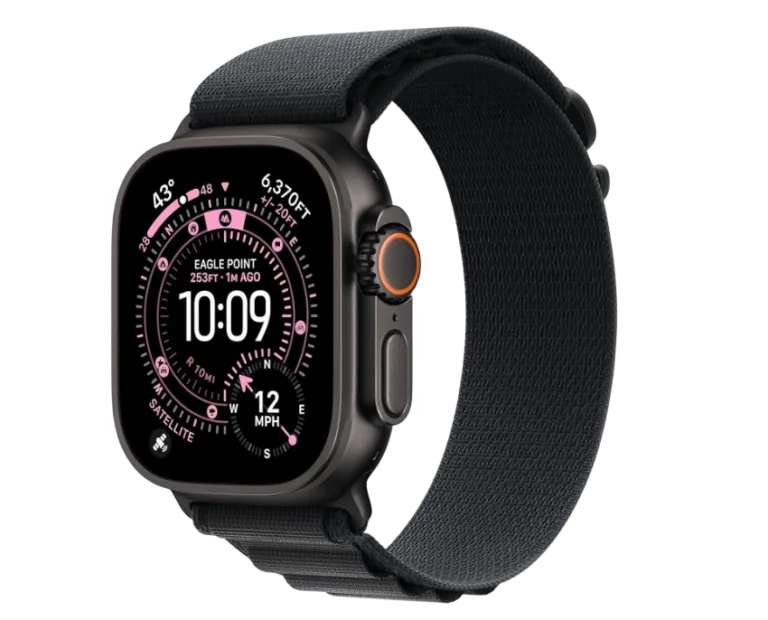
Apple Watch Ultra 3 is the best choice for an iPhone owner who wants job-site safety features rather than raw indestructibility. Fall detection, a loud siren, and satellite SOS are a serious argument for anyone working at height or alone, and the sapphire and titanium build handles ordinary abuse fine. Just be realistic that the touchscreen fights your gloves and that you are charging it every night.
Check price on AmazonKey Specs: Display: 1.98-inch LTPO3 OLED, 3000 nits, flat sapphire | Case: 49mm Grade 5 titanium | Weight: 61.8g | Durability: IP6X, 100m water resistance, EN13319 | Connectivity: 5G, satellite messaging | Battery: 42 hours, 72 in Low Power
For iPhone users this is the one, and the reason is safety rather than toughness.
The Ultra 3 has fall detection, crash detection, an 86-decibel siren, and Emergency SOS via satellite. If you work at height, work alone, or work in a dead zone, that combination is worth more than any durability rating in this guide. The satellite messaging is new to the Ultra 3 and it means a genuine two-way message from a site with no cell coverage at all.
The build is Grade 5 titanium with a flat sapphire crystal, IP6X dust resistance, and 100 metres of water resistance. The 3000-nit display is readable on a July roof at midday, which is not a given.
The Action Button is the piece most reviews undersell for trade work. It is a real, physical, programmable button on the side of the case. Map it to a stopwatch, to a voice memo, to a specific shortcut, and you have one job-site function you can trigger through a glove without touching the screen.
Note: Get the GPS + Cellular model. Every Ultra is cellular, but Apple’s cheaper Series watches come in GPS-only versions, and a GPS-only watch on a site means no calls when your phone is in the gang box.
Two honest problems.
The first is the touchscreen. Outside of the Action Button and the Digital Crown, watchOS assumes you are tapping the screen, and that assumption falls apart in gloves. Apple’s glove support is nonexistent. You will be pulling a glove off to answer a call.
The second is battery. Apple rates it at 42 hours, up from 36, which is genuinely a real improvement and enough for a long shift plus overnight sleep tracking. But it is 42 hours against 40 days from the Garmin. You are on a nightly charging routine, permanently.
There is also the price. Eight hundred dollars is a lot of money to wear somewhere a hammer might land on it. A rugged bumper case is close to mandatory here, and it is money on top.
Reasons to buy
- Fall detection, crash detection, siren, and satellite Emergency SOS
- Programmable Action Button works with gloves
- 3000-nit display stays readable in direct sun
- Sapphire crystal resists scratches from grit and rebar
- 5G means calls and texts without your phone on site
Reasons to avoid
- Touchscreen is unusable with work gloves
- Needs charging every single night, no exceptions
- iPhone only
Samsung Galaxy Watch Ultra 2:
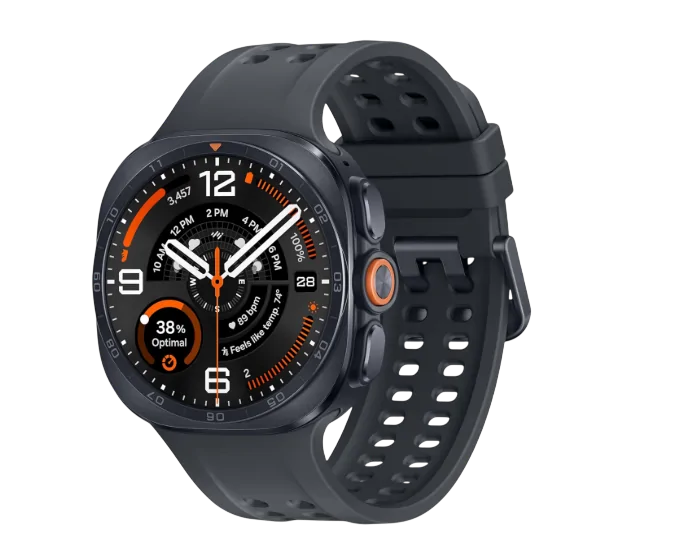
Galaxy Watch Ultra 2 is the strongest sealed build here and the brightest screen on the market, wrapped around LTE calling and texting that work without your phone. IP69K plus 10 ATM plus MIL-STD-810H is a genuinely serious combination for wet, dusty, filthy work. The trade-off is that it is still fundamentally a touchscreen watch, and 60 hours is nowhere near what the Garmin does.
Check price on AmazonKey Specs: Display: 1.52-inch Super AMOLED, 5000 nits, sapphire | Case: 47mm titanium, 10.7mm thick | Weight: 61.5g | Durability: IP69K, 10 ATM, MIL-STD-810H, EN13319 | Connectivity: LTE | Battery: 800mAh, up to 60 hours
If you carry an Android phone, this is the equivalent pick, and it holds one certification nothing else here has.
IP69K. Not IP68, not IP6X. IP69K is the rating for high-pressure, high-temperature washdown, and it is the reason this is the watch to buy if your shift ends with a hose. Dust-tight, and then rated to take a pressure wash on top. Combine that with 10 ATM, MIL-STD-810H, and EN13319 dive certification and the sealing on this watch is the best in the roundup by a clear margin.
The display is the other headline. 5000 nits, which as of right now is the brightest screen on any smartwatch, and roughly two-thirds brighter than the previous Ultra. On a white roof in direct sun this is a real, visible difference rather than a spec-sheet one.
Samsung also fixed the battery. The Ultra 2 carries an 800mAh cell, about 35% larger than the first Ultra, rated at around 60 hours with always-on display. They managed that while making the case 12% thinner, which matters more than it sounds when you’re squeezing a wrist past ductwork.
The Quick Button is assignable and, usefully, one of the things you can assign it to is the flashlight.
Where it lands in the middle is gloves. There are three physical buttons, which is better than Apple, but One UI Watch still expects taps and swipes for most real navigation. Thin gloves are workable. Rigger gloves are not.
The other caveat is the usual Samsung one. It works with any Android phone, but a handful of features are gated to Samsung handsets, and it does not work with an iPhone at all.
Reasons to buy
- IP69K rating, the only watch here rated for pressure washdown
- 5000-nit display, brightest on the market
- LTE for calls and texts with the phone in the truck
- 800mAh battery in a case that got thinner
- Assignable Quick Button can trigger the flashlight
Reasons to avoid
- Touchscreen still fights heavy gloves
- Android only, and works best with a Samsung phone
- Around two days of battery, not two weeks
- Full charge takes close to two hours
Amazfit T-Rex 3 Pro 48mm:
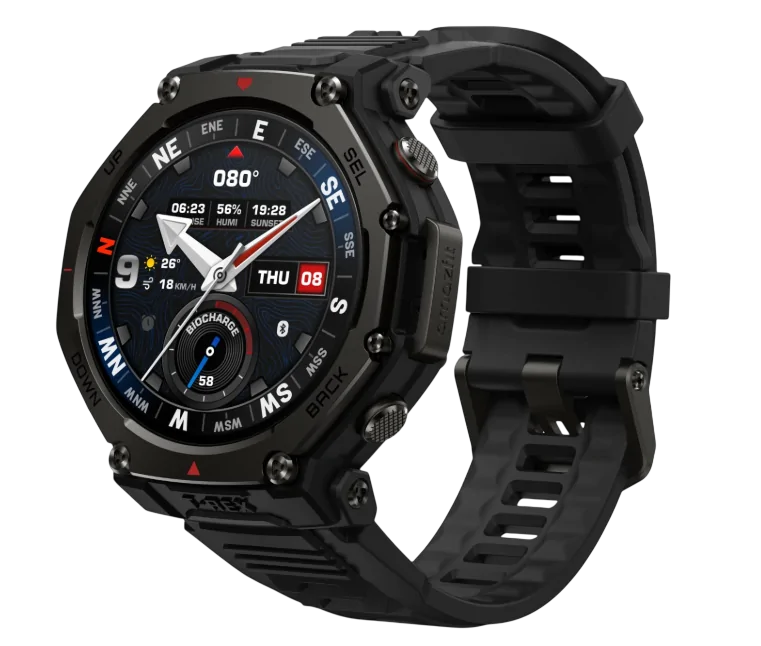
Amazfit T-Rex 3 Pro is the one to buy if you cannot justify seven or eight hundred dollars for something that lives on a job site. Sapphire, titanium bezel, 3000 nits, 25 days of battery and the best flashlight in this guide, for about $399. You are giving up app ecosystem, standalone cellular, and reliable navigation software, none of which most trades actually need.
Check price on AmazonKey Specs: Display: 1.5-inch AMOLED, 480×480, 3000 nits, sapphire | Case: 48mm fiber-reinforced polymer, Grade 5 titanium bezel | Weight: 52g | Durability: 10 ATM, 45m dive certified | Flashlight: Dual-colour LED, 300-lux boost | Battery: 700mAh, 25 days typical
This is the value pick, and it is not a compromise pick.
For roughly half the price of an Apple Watch Ultra 3, the T-Rex 3 Pro gives you sapphire glass, a Grade 5 titanium bezel, a fiber-reinforced polymer case, a 3000-nit AMOLED display, 10 ATM water resistance, and 25 days of battery in typical use. Under heavy use Amazfit still rates it at ten days. That is a fortnight of not thinking about a charger.
The flashlight here is better than Garmin’s. It is a dual-colour LED with adjustable brightness, a low-interference red mode, an SOS strobe, and a 300-lux boost mode. In a dark mechanical room the boost mode is genuinely useful light rather than a token gesture.
Four physical buttons handle most navigation, so glove operation is much better than either Apple or Samsung, though it does have a touchscreen for the menus.
It also has a speaker and microphone, so Bluetooth calls from the wrist work when your phone is within range. Not standalone cellular, but enough to take a foreman’s call without digging your phone out of a tool bag.
Note: The regular T-Rex 3 is about a hundred dollars cheaper and looks similar. It drops the sapphire glass for Gorilla Glass, drops the titanium bezel for stainless, and drops the flashlight and speaker entirely. For construction those are exactly the wrong things to give up. Pay the difference.
The honest downsides are software and navigation. Zepp OS is not Wear OS or watchOS, so the app selection is thin and notification handling is more basic. Multiple reviewers have also found the offline mapping and routing to be buggy and inconsistent, so do not buy this as a navigation device. As a tough, bright, long-lasting notification-and-flashlight watch, it is excellent.
Reasons to buy
- Sapphire and titanium at roughly half the price of the flagships
- 25 days typical battery, 10 days under heavy use
- Best flashlight here: dual colour, red mode, 300-lux boost
- Four physical buttons, workable in gloves
- Speaker and mic for Bluetooth calls
- Works with both Android and iPhone
Reasons to avoid
- Zepp OS has a thin app ecosystem
- Offline maps and routing are unreliable
- Bluetooth calling only, no LTE
- No fall detection
Casio G-Shock Move GBD-H2000:
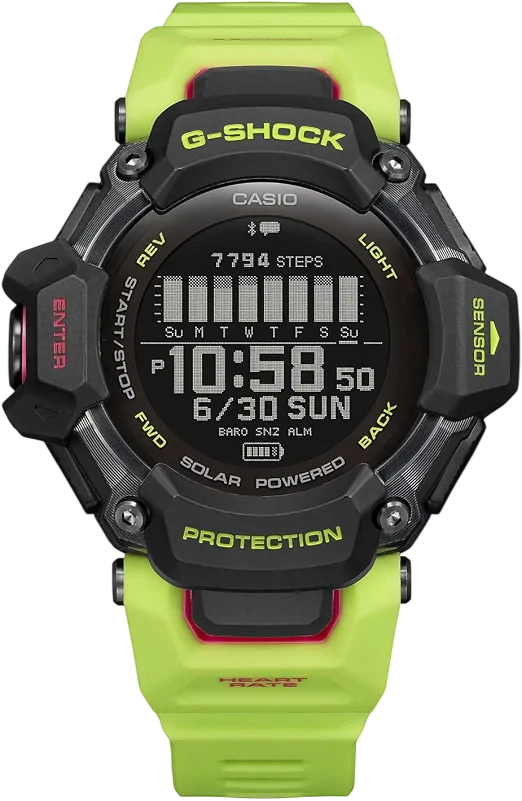
Casio G-Shock Move GBD-H2000 is for the worker who has destroyed watches before and is done experimenting. Genuine G-Shock shock protection, 200m water resistance, months of solar-assisted battery, and enough sensors to be useful.
Check price on AmazonKey Specs: Display: Memory-in-pixel LCD, non-touch | Case: 59.6 x 52.6 x 19.4mm bio-based resin | Weight: 63g | Durability: Shock-resistant structure, 200m water resistance | Sensors: HR, SpO2, GPS, compass, altimeter, barometer, thermo | Battery: ~2 months without GPS, 14–19 hours with GPS
Every other watch in this guide is a smartwatch that has been toughened up. This is a G-Shock that learned some tricks. If your work involves demolition, jackhammers, scaffold, or anything where a watch takes repeated hard knocks, this is the honest answer.
Casio’s shock-resistant structure is the actual differentiator. MIL-STD-810 is a set of environmental tests. G-Shock’s construction is a decades-old design philosophy of floating the module inside the case so impacts never reach it. No other watch here does that. Pair it with 200m water resistance, a resin case, and resin band, and you have something you can genuinely stop worrying about.
Battery is the other story. Without GPS running, it’s solar-assisted and rated at roughly two months, stretching to about 23 months in power saving. Turn GPS on and you’re down to 14 to 19 hours, but for site use you’re mostly not running GPS.
It also carries a real sensor suite: optical heart rate with Polar-developed analytics, blood oxygen, a step counter, gyroscope, digital compass, altimeter, barometer, and thermometer.
The reason it’s fifth rather than first is that its smart features are thin. It does notifications, and that’s about it. No apps, no payments, no music, no calling. The MIP display is monochrome and functional. It is also physically enormous at 19.4mm thick and nearly 60mm wide, which is a real snag risk around machinery and tight spaces.
Reasons to buy
- Actual G-Shock shock-resistant construction, unique in this roundup
- 200m water resistance, the highest here
- Roughly two months of battery without GPS, solar assisted
- Button-only, fully glove-operable
- Frequently discounted well below its list price
Reasons to avoid
- Notifications only, no real smart features
- Very large and thick, a genuine snag hazard
- Monochrome display
- App is the weak link, by most accounts
Best Watch by Trade: Electricians, Welders, Plumbers & Carpenters
The right pick shifts depending on what you actually do all day.
Electricians: Go with the Garmin Instinct 3 Tactical Solar. Two reasons. The flashlight is reachable from any screen with one gloved button press, which is exactly what you want in a dark panel or a crawlspace, and the polymer case is non-conductive where a titanium Apple or Samsung case is not. Many shops also have rules about metal on the wrist near live work. Check your own site rules, but polymer makes that conversation shorter.
Welders: This is the hardest trade to buy for and nobody tells you why. Spatter will pit any screen, sapphire included, and UV plus radiant heat is rough on OLED panels. Wear the watch on the arm furthest from the arc, keep it under a sleeve or a leather gauntlet, and buy something you won’t mourn. The Amazfit T-Rex 3 Pro or the G-Shock are the sensible answers. Do not wear an $800 Apple Watch Ultra to a welding bay.
Plumbers: Water is not the issue, but repeated wet-dry cycling plus pipe dope, flux, and drain chemicals is. The Samsung Galaxy Watch Ultra 2 and its IP69K washdown rating is the strongest pick here, because you can actually rinse it properly at the end of a job.
Carpenters and framers: Sawdust is abrasive and gets into everything, and you’re constantly banging your wrist on lumber. Garmin Instinct 3 again, for the polymer case and the low, snag-resistant profile.
Concrete and demolition: G-Shock GBD-H2000. Nothing else in this guide is built to absorb repeated hard impact the way a G-Shock is.
Anyone working alone or at height: Apple Watch Ultra 3 if you’re on iPhone, for fall detection and satellite SOS. That combination is a genuine safety argument that outweighs the durability trade-offs.
Honorable Mentions:
These didn’t make the cut, and here’s why.
- Garmin Fenix 8 Pro: LTE and two-way satellite messaging through inReach, which sounds perfect. It isn’t, because it doesn’t give you a phone number. Calls and voice messages only work between Garmin Messenger users. Brilliant off-grid safety device, poor phone replacement, and well over a thousand dollars.
- Apple Watch Series 11: Tougher than it used to be and a lot cheaper than the Ultra, but it is aluminium or steel with Ion-X or sapphire depending on model, IP6X, and no fall-height case protection. It will survive an office. It will not survive a framing crew.
- Amazfit T-Rex 3 (non-Pro): Around $279 and tempting, but you lose the sapphire, the titanium bezel, the flashlight, and the speaker. Those are the four things that matter most here.
- Kospet Tank and Blackview rugged watches: They dominate the search results for this topic because the manufacturers write the articles. The hardware claims are aggressive and the durability certifications are frequently self-declared rather than independently tested. Buy at your own risk.
- Fitbit: No LTE anywhere in the line, no meaningful ruggedisation, and Google has folded the app into Google Health. Not a job-site device.
- Google Pixel Watch 5: Excellent watch, wrong watch. A domed glass front and a 5 ATM rating is the opposite of what a site needs.
How I Picked:
I’ve been covering wearables for years, and the mistake almost every “rugged smartwatch” roundup makes is treating durability as a single number. It isn’t. Here’s the process I used.
- Real, verifiable certifications only. MIL-STD-810, IP ratings, ATM ratings, EN13319. Anything described as “military grade” without a standard attached got dropped immediately. That eliminated most of the direct-to-consumer rugged brands.
- Glove operability. I weighted physical button count heavily and marked down touch-only navigation. This is the factor that separates a watch you’ll actually use from a watch you’ll get frustrated with by week two.
- Impact behaviour, not just scratch resistance. Polymer and resin cases scored above titanium and steel, which reverses how most guides rank materials.
- Battery measured in shifts, not hours. Anything that couldn’t clear a 12-hour day with margin had to justify itself another way.
- Sunlight legibility. A minimum of 1000 nits for colour displays, or a transflective MIP panel, which is readable in direct sun by design.
- Practical job-site extras. Flashlight, strong haptics, and emergency features. These are the things owners mention months later.
That took a list of over twenty candidates down to these five. Which one you buy comes down to three things:
- Your phone (iPhone, Samsung, or other Android)
- Whether you need calling and texting from the wrist
- How much abuse the watch will actually take in your trade
FAQs: Smartwatches for Construction Workers
Are smartwatches worth it for tradesmen?
For most, yes. The three things trades consistently get value from are notifications you can feel through a glove, a flashlight on your wrist, and fall or emergency detection. Fitness tracking is a distant fourth.
The one situation where the answer is no is if your site restricts wrist-worn devices near rotating machinery, which some do. Check before you buy.
Which smartwatch is the most durable for construction work?
For raw impact survival, the Casio G-Shock Move GBD-H2000, because of the shock-resistant module design that no other watch here uses.
For the best all-round balance of durability and smart features, the Garmin Instinct 3.
For the best sealing against dust and water, the Samsung Galaxy Watch Ultra 2, thanks to IP69K.
Can you use a smartwatch with work gloves?
Not a touchscreen one, no. Capacitive screens need skin contact or a conductive glove, and standard leather and rigger gloves aren’t.
The way around it is buying a watch with real buttons. The Garmin Instinct 3 and the G-Shock are entirely button-driven, so gloves are a non-issue. The Amazfit T-Rex 3 Pro has four buttons covering most functions. Apple gives you the Digital Crown and the Action Button but everything else needs the screen.
Is the Apple Watch okay on a construction site?
The Ultra 3 is, with a caveat. Titanium, sapphire, IP6X, and 100m water resistance handles ordinary site conditions, and the safety features are the best here.
The caveats are that you’ll fight the touchscreen in gloves, and that it’s an $800 device. A rugged bumper case is a sensible purchase.
The standard Series and SE models are not built for this. They’ll survive a site office, not a slab pour.
What should I set my Apple Watch to for construction work?
A few settings that actually help:
- Turn on Water Lock in dusty conditions, not just wet ones. It disables the touchscreen so pocket-taps and debris stop triggering things.
- Set haptic strength to maximum and enable Prominent Haptic, or you’ll miss calls over site noise.
- Assign the Action Button to whatever you use most, since it’s the one control that works in gloves.
- Confirm Fall Detection is set to “Always on”, not just during workouts.
- Enable Theater Mode if screen wake-on-raise is triggering constantly while you work.
What’s the best smartwatch for dusty job sites?
Look for IP6X or IP69K, which are the dust-tight ratings. The Samsung Galaxy Watch Ultra 2 is the only watch in this guide with IP69K, meaning it’s rated for high-pressure washdown as well as dust ingress, so you can properly rinse it clean.
One practical note regardless of what you buy: dust in the charging contacts is what usually kills these watches, not dust on the screen. Wipe the back of the case before you put it on a charger.
Do I need a cellular smartwatch for construction?
Only if you leave your phone away from you. If your phone is in your pocket or on your belt, Bluetooth is enough and you’ll save the monthly plan cost.
Cellular is worth it if you leave your phone in a gang box or truck, if you work alone, or if you want calls and texts on a site where you can’t safely carry a phone. The Galaxy Watch Ultra 2 and Apple Watch Ultra 3 both do standalone LTE, and the Ultra 3 adds 5G and satellite messaging.
Do construction sites allow smartwatches?
It varies, and it’s worth checking rather than assuming. The two common restrictions are jewelry and wrist-wear near rotating machinery, and camera-equipped devices on secure or government sites. None of the watches in this guide have cameras, which clears the second concern. The first is a site-by-site call.

I created this blog to help people find the right smartwatch for their taste, to keep tabs on the latest news and leaks, and to share my experience with different smartwatches.